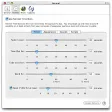
Break reminder tool with micro-breaks
Time Out is a handy, trial version software only available for Mac, being part of the category Science & Education with subcategory Health.
Top Recommended Alternative

More about Time Out
Since the software joined our selection of software and apps in 2007, it has managed to obtain 3,932 downloads, and last week it achieved 0 downloads.
About the download, Time Out is a light software that needs less space than most software in the section Science & Education. It's a program mostly downloaded in Kenya, United States, and China.
It's available for users with the operating system Mac OS X and prior versions, and it is available in English. The current version of the software is 1.5.4 and was updated on 5/05/2009.
Changes
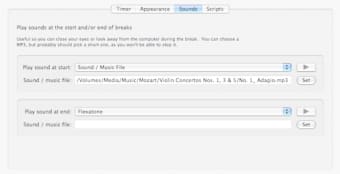
Introduced a much nicer application icon, professionally designed by Emily Pfeifer Rearranged the break contents: the progress bar and buttons are now in a box, and the icon is much bigger... and prettier Added options to the Appearance page to individually show or hide the Postpone and Skip buttons, and to change the number of minutes for the two Postpone ones Added direct support for running Python scripts Fixed some issues with scheduling breaks after postponing The Dejal logo was also redesigned by Emily Pfeifer, so all places it occurred have been updated Renamed the application to remove the exclamation point Added improved exception logging, to help with diagnosing any future issues Added the Dejal Blog and Forums to Help menu Fixed an error that a few people experienced when checking for updates Minor tweaks for Leopard (10.5) compatibility